Step 1 – Preparation
Installation is done via the site jcartools.ru
Video tutorials:
Installation via phone
Installation via laptop
You will need:
- Android phone or laptop with Windows 10–11 / macOS
- Chrome browser
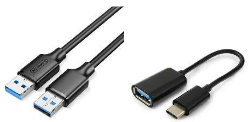
- USB TYPE-A ↔ USB TYPE-A cable and optionally OTG if using a phone
Step 2 – Connection
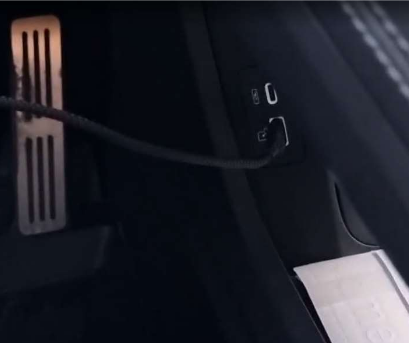
Connect the cable to the car and to your laptop or phone via OTG.
Step 3 – Enabling ADB
Video tutorials:
Jaecoo J7 |
Jaecoo J8 / EXEED RX
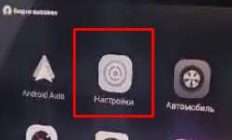
Enter the vehicle's engineering menu. Open the vehicle settings, then open the "System" section, and to access the engineering menu on the head unit:
- On Jaecoo J7 — tap multiple times on the word "Version"
- On Jaecoo J8 / EXEED RX — tap the image in the settings
-
Or via a USB flash drive. To do this, download the file, copy it to the flash drive, and insert it into the car.
Download the flag to launch the engineering menu

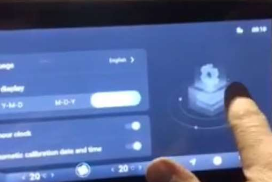
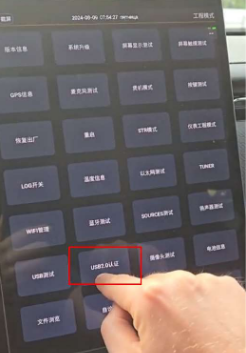
To enable ADB in the engineering menu, press "USB2.0" and then press the "DEVICE" button:
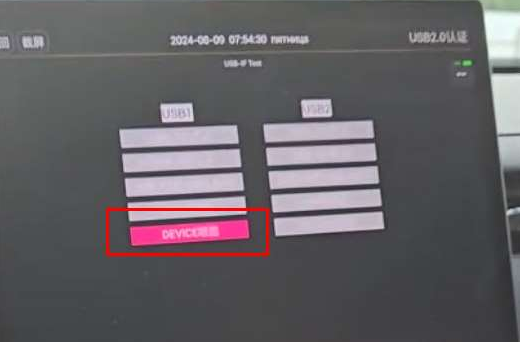
If the DEVICE button is missing in the engineering menu:
1) In the car settings, change the language to English
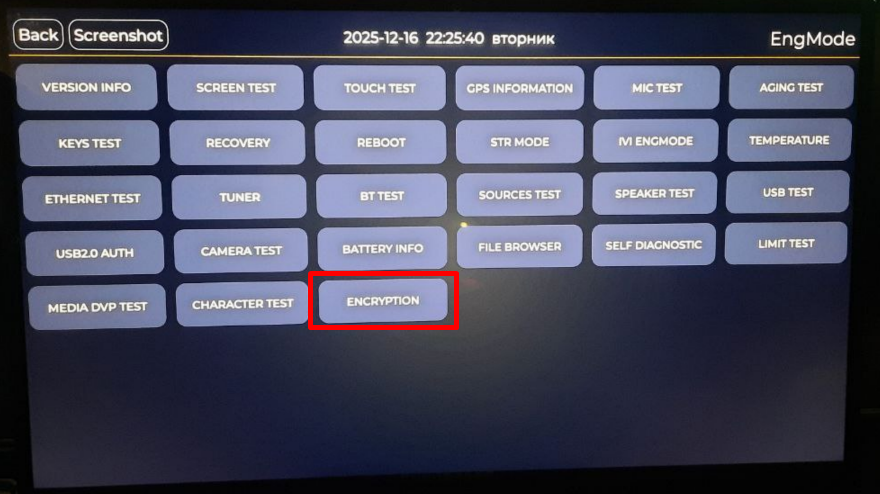
2) In the engineering menu, look for the ENCRYPTION section
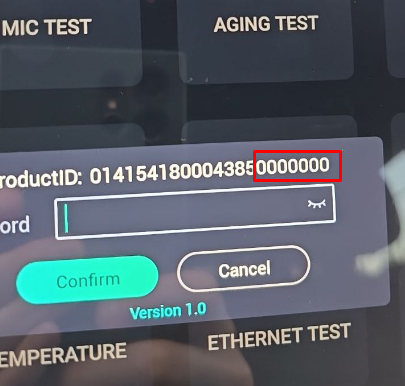
3) In the ENCRYPTION window on the car screen, find the long number. Do not type these digits into the car. Copy only the last 7 digits into the form below on this page:
5) Switch the ADB toggle to "Open" and proceed with the installation
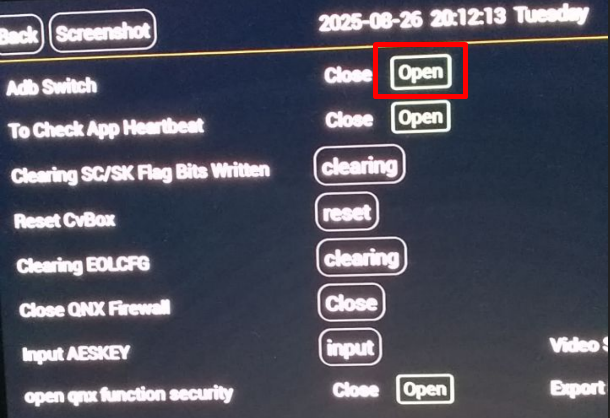
If you see a window like this with version 2:
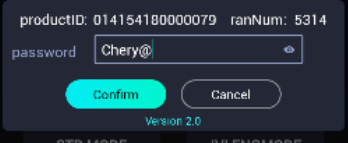
For version 2, copy the data from the car into the form below on this page. Do not type these digits into the car: enter only the last 6 digits of the ID into ID, and enter the Random/RAND value into Random number.
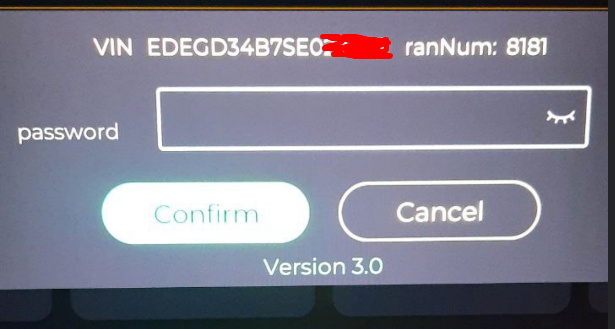
If you see a window like this with version 3:
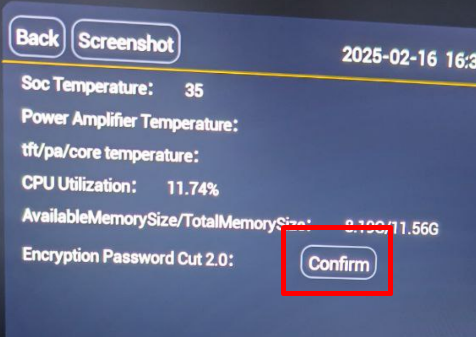
Go to the main engineering menu and find the section called "Temperatura":
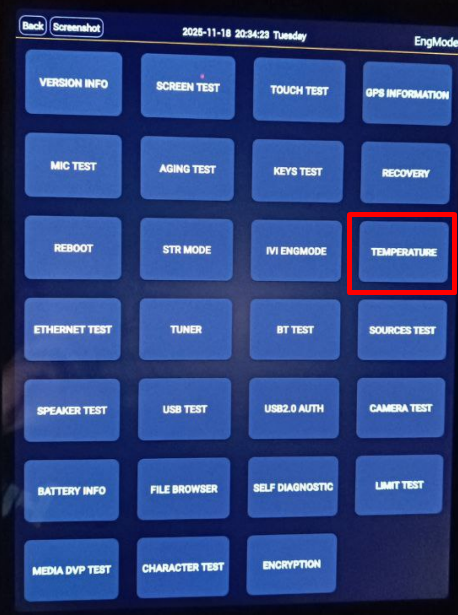
Press the Confirm button to enable encryption version 2.
Then go back to the ENCRYPTION menu and follow the instructions above again.
In the engineering menu, open the ADB section and set ADB Switch to Open (on). For encryption version 3, use the VIN and RAND calculator below: enter the generated password in ENCRYPTION, then enable ADB Switch.
Step 4 – Installation
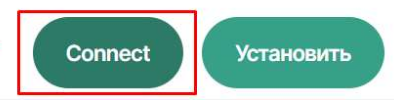
Go to jcartools.ru/in.html and click "Connect"
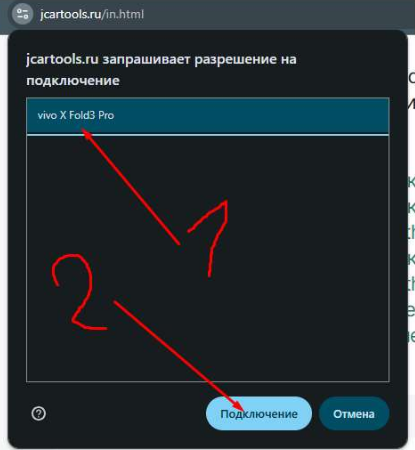
Select your device in the pop-up window and click "Connect".
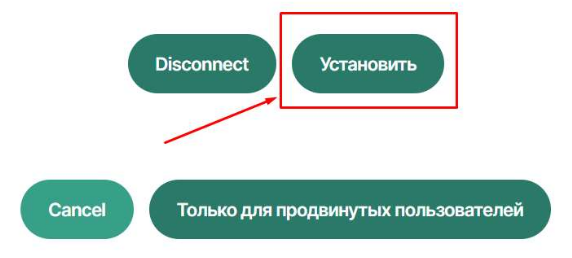
Then click "Install".
Wait for the installation to complete!
Step 5 – Internet Setup
After installation, the JCarTools app will launch. Before registering, connect to the Internet (e.g. via your phone's hotspot):
- Important! Before setup, disable wireless Android Auto on your phone, as it will interfere with Wi-Fi operation on the head unit. Phone settings → Apps → Android Auto → Disable.
- Check the date and time in the vehicle.
- A tablet reboot may also be required.
- Set up Wi‑Fi via JCarTools
- Or via the engineering menu (video)
- Indication that the internet is working: a closed (connected) socket icon
On Home, open "Authorization and language", then tap "Wi-Fi Manager".


Step 6 – JCarTools Registration and Basic Setup
On Home, tap "Authorization and language".

- Read the terms and check the box.
- Enter your email and click "Log in".
- Enter the PIN code from the email.

- On Home, select the profile for your own vehicle. The screenshot shows an example.

Step 7 — JCTStore App Store
After registration, select "App Store" in the sidebar, then tap "JCTStore app store".
- Find the app you need in the list.
- Use the installation or update button on the app card. For an installed app, "Open" launches it and "Reinstall" installs it again.
- In the system confirmation window, tap "Install".
Be sure to install one navigation app: Navigator 39, Maps 20.2, or Waze.
After installation, check that the selected app launches on the instrument cluster in the "Output to instrument cluster" section.



Extras
- Visit the “Post-install configuration” section on the website
- Watch the setup guide: View
- Join our Telegram channel: @jaecooapp